Til Shopify-butikker
Diamond painting-forhåndsvisning til Shopify: vis fotoet på lærred før betaling
En Shopify-butik, der sælger personlige diamond paintings, bør vise kunden en forhåndsvisning før bestillingen. Det kræver tre ting: det uploadede foto, de tilgængelige lærredsvarianter og en pålidelig måde at gemme den valgte størrelse i kurven på.
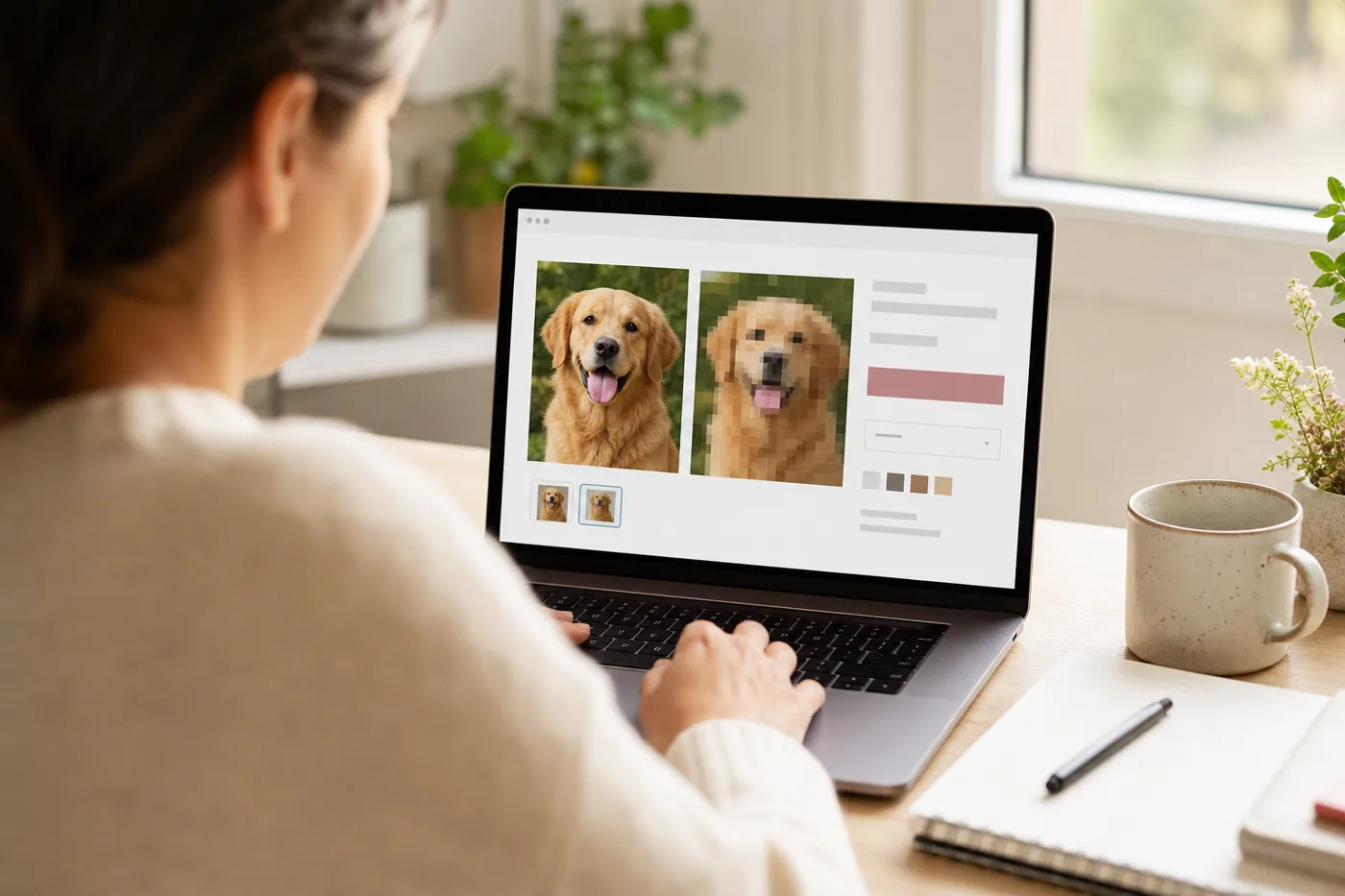
Det gør forhåndsvisningswidgetten for din butik
En kunde uploader et billede på produktsiden og ser det straks som et diamond painting-mønster, før betaling. Forhåndsvisningen besvarer spørgsmålet, der stopper købet: »Virker mit billede?«
Sådan fungerer integrationen
- Anmod om en API-nøgle via B2B-siden.
- Føj dp-preview.js-indlejringen til din produktskabelon.
- Widgetten viser forhåndsvisningen direkte og kan efter ønske håndtere PDF-mønstre med dit eget brand.
Problemet ved betaling
De fleste produktsider for personlige diamond paintings beder om et foto og en størrelse, men viser ikke, om størrelsen er egnet. Det giver unødvendige supporthenvendelser: kunder vælger 30x40 cm til et detaljeret portræt, forventer skarpe øjne og hår og får et lærred, der aldrig kan rumme de detaljer.
Et bedre forløb viser en forhåndsvisning, anbefaler en størrelse og gemmer det valgte resultat som metadata i kurven og ordren. Teamet, der behandler ordren, kan derefter se den præcise forhåndsvisningsadresse, den valgte variant og stentypen.
Anbefalet forløb i Shopify
- Kunden uploader et foto på produktsiden.
- Din app sender filen og de tilgængelige varianter til PicDP.
- PicDP returnerer en forhåndsvisning, en kvalitetsvurdering og en anbefalet variant.
- Butikken viser først den anbefalede størrelse, men lader også kunden vælge en anden tilgængelig størrelse.
- Den valgte variant, forhåndsvisningsadressen og job-ID’et gemmes som egenskaber på ordrelinjen, før varen lægges i kurven.
Koblingen til varianter tæller mere end en flot forhåndsvisning
Forhåndsvisningen skal passe til faktiske Shopify-varianter. Sælger butikken 30x40, 40x50, 50x70 og 60x80 cm, bør API’et kun anbefale disse størrelser. Det forhindrer en almindelig fejl: forhåndsvisningen anbefaler 45x60 cm, mens kunden kun kan købe 40x50 eller 50x70 cm.
Det eksisterende PicDP-API understøtter `allowed_sizes` med Shopify-variant-ID’er. Brug det frem for at lægge en generel størrelsestabel fast ind i temaet.
Hvilke data der skal gemmes i Shopify-ordren
| Nøgle | Hvorfor det er nødvendigt |
|---|---|
_picdp_preview_url | Support og produktion kan se den genererede forhåndsvisning. |
_picdp_job_id | Lader din server koble asynkrone job og webhook-opdateringer sammen. |
_picdp_selected_variant_id | Bekræfter, hvilken tilgængelig størrelse anbefalingen svarer til. |
_picdp_quality_score | Nyttigt for supporten, når kunden vælger en anden størrelse end den anbefalede. |
Hvor forhåndsvisningen hører til i købsforløbet
For forbrugere bør forhåndsvisningen ligge på produktsiden uden først at kræve en konto. Butiksejere starter integrationen medAPI-dokumentationog går derefter videre til en udviklingsbutik.
Efter at have godkendt forhåndsvisningen kan kunden gå videre til et produkt somdiamond painting med eget fotoog uploade det samme originalfoto til ordren.
Kom hurtigt i gang med integrationen
Start med serveradapteren iShopify-lynstart. Behold API-nøglerne på serveren, send kun forhåndsvisningens status tilbage til temaet, og gem de endelige forhåndsvisningsdata på ordrelinjen før betaling.
Til adgang, priser eller partneropsætning bruger duB2B-kontaktvejen.
Virker det kun med Shopify?
Nej. Det samme API understøtter WooCommerce og specialbyggede webshops. Shopify er blot hurtigst at konfigurere med indlejringen.