Diamond painting grid on your photo
Upload a photo and place a square diamond painting grid over it. This is the fast check for detail loss: eyes, fur, text and fine patterns should still be recognisable through the grid.
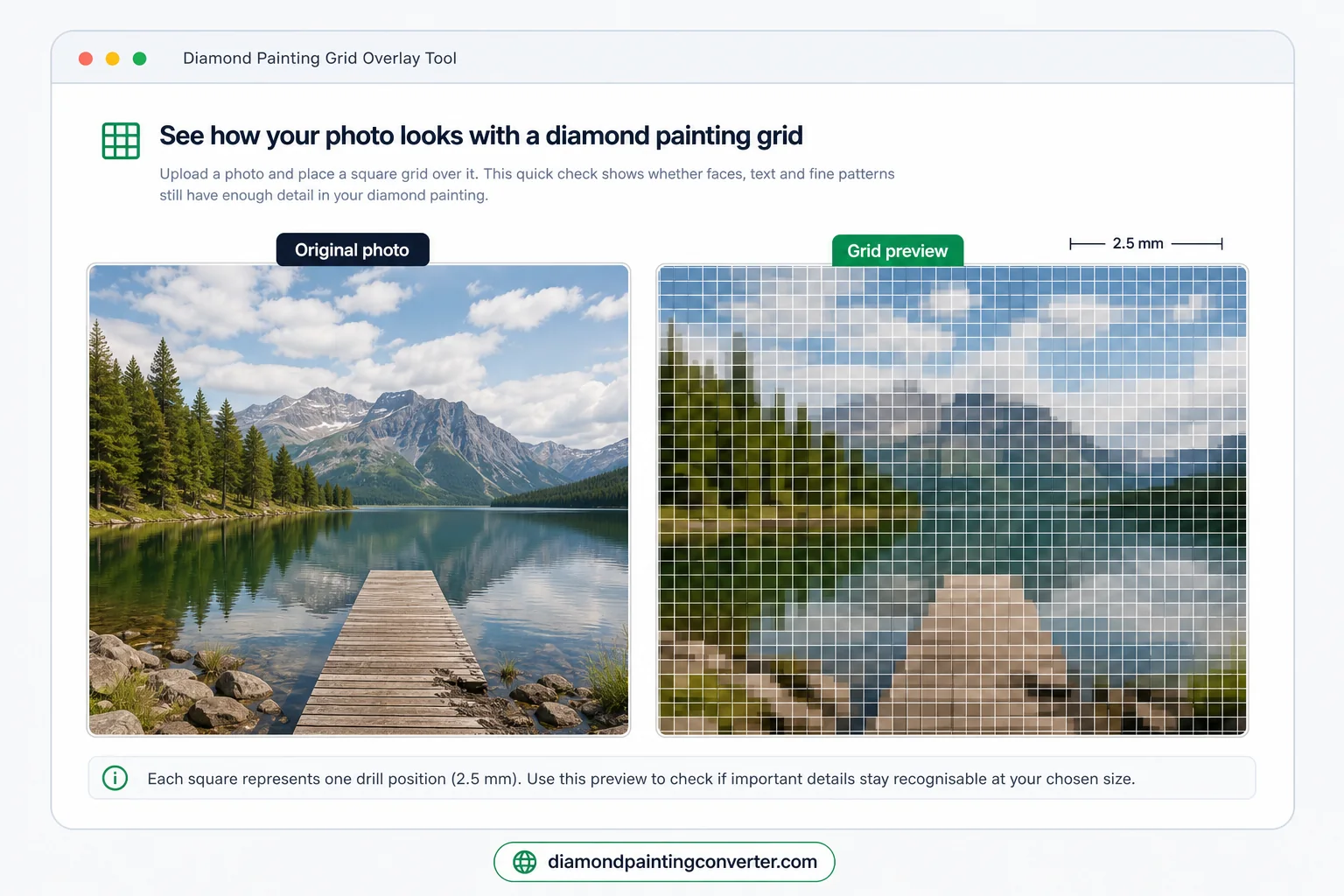
Putting a grid on your photo, step by step
- Pick a sharp photo, up to 50 MB, in JPG, PNG or WebP. Blurry sources fail at drill scale before the grid even starts.
- Press Add grid. The tool draws a square grid over your photo and shows the result right away on this page.
- Judge the detail cell by cell: eyes, fur, text and fine patterns need to stay recognisable through the squares.
- Save or print the gridded photo as your working copy, or continue with the size guide to pick the canvas.
What is the square grid for?
With diamond painting you work with a canvas divided into small cells. Each cell represents one drill position. The grid overlay shows whether faces, fur, text or fine patterns still have enough cells to stay recognisable.
The smaller the canvas, the larger each square is relative to your photo. This means fine details are lost. By placing the grid over your photo, you can immediately see whether important elements such as faces, eyes or patterns are still recognisable.
Tips for assessment
- Are the main shapes in your photo still recognisable through the grid?
- Do faces and eyes have enough squares to show details?
- Is there enough colour difference between adjacent areas?
Want a more complete analysis? Then use the Diamond Painting Preview Generator for a full simulation with automatic size advice.
If the photo still looks clear through the grid but you are unsure about 30x40, 40x50 or 50x70 cm, continue with the photo size guide.
Diamond painting grid — frequently asked questions
- How do I put a square grid over my photo for diamond painting?
- Upload a sharp JPG, PNG or WebP above and press Add grid. That is all it takes to grid a photo: the tool draws a square diamond painting grid straight onto your image so you can check, cell by cell, whether faces, fur, text and fine patterns survive the drill layout before you pick a canvas size.
- How many diamonds fit in one grid cell?
- One cell equals one drill. Square drills are 2.5 mm and sit 4 per centimeter, so a 30x40 cm canvas holds 120 by 160 cells — 19,200 in total. Round drills are 2.8 mm and sit 3.57 per centimeter, which gives 107 by 142 cells, or 15,194. Smaller canvases mean fewer cells over the same photo, which is exactly why detailed faces need a larger size.
- What grid size do I need to keep faces and small text sharp?
- As a rule of thumb a recognisable face needs at least 25 to 30 cells across. If the grid shows a face packed into ten or fifteen cells, step up one canvas size or crop tighter around the subject so each feature gets more drills.
- Can I turn my gridded photo into a full diamond painting pattern?
- Yes. The grid check is step one; for a complete simulation with a real drill palette and automatic size advice, run the same photo through the free diamond painting pattern maker on the homepage.
- Can I print a diamond painting grid?
- Save the gridded photo from this page and print it, and you have your own subject with the drill cells drawn in. Blank grid paper is something else: empty squares you still have to fill in yourself. For a chart with a symbol and a DMC code in every cell, use the printable pattern from the Pattern Studio.
Printing the grid
Search for a printable diamond painting grid and you get two different things. Knowing which one you need saves a wasted print:
- Blank grid paper — empty squares to draw on yourself. Free sheets are easy to find, but you still have to work out which colour goes in every square.
- Your own photo with a grid over it — what this page makes. Save the result and print it, and you have your subject with the drill cells drawn in.
- A symbol chart with DMC codes — the printable A4 pattern from the Pattern Studio: a symbol in every cell, numbered rows and columns, and a legend with the drill count per colour.
Only need the colour numbers? The free DMC colour chart lists all 454 shades and prints as a plain chart.