Pattern Studio
Turn a photo into a diamond painting pattern and edit it yourself: pick the size, the number of colors, and swap any DMC color. Free to use - you only pay for the PDF download.
Upload your photo
JPG, PNG or HEIC. The pattern appears right away - nothing is uploaded yet.
This photo is too tall for the selected width - please choose a smaller width.
Tap a color straight on the pattern to select it - every stitch in that color lights up. Pinch or scroll to zoom, drag to move.
DMC colors in this pattern
Rather watch than read?
Forty seconds: from photo to an editable DMC chart, and why the PDF matches what you see.
What you get for €8.95
A real example, generated by the same code that builds your PDF: a cover with the full pattern, numbered grid pages with a symbol in every cell, and a DMC legend with the drill count per color.
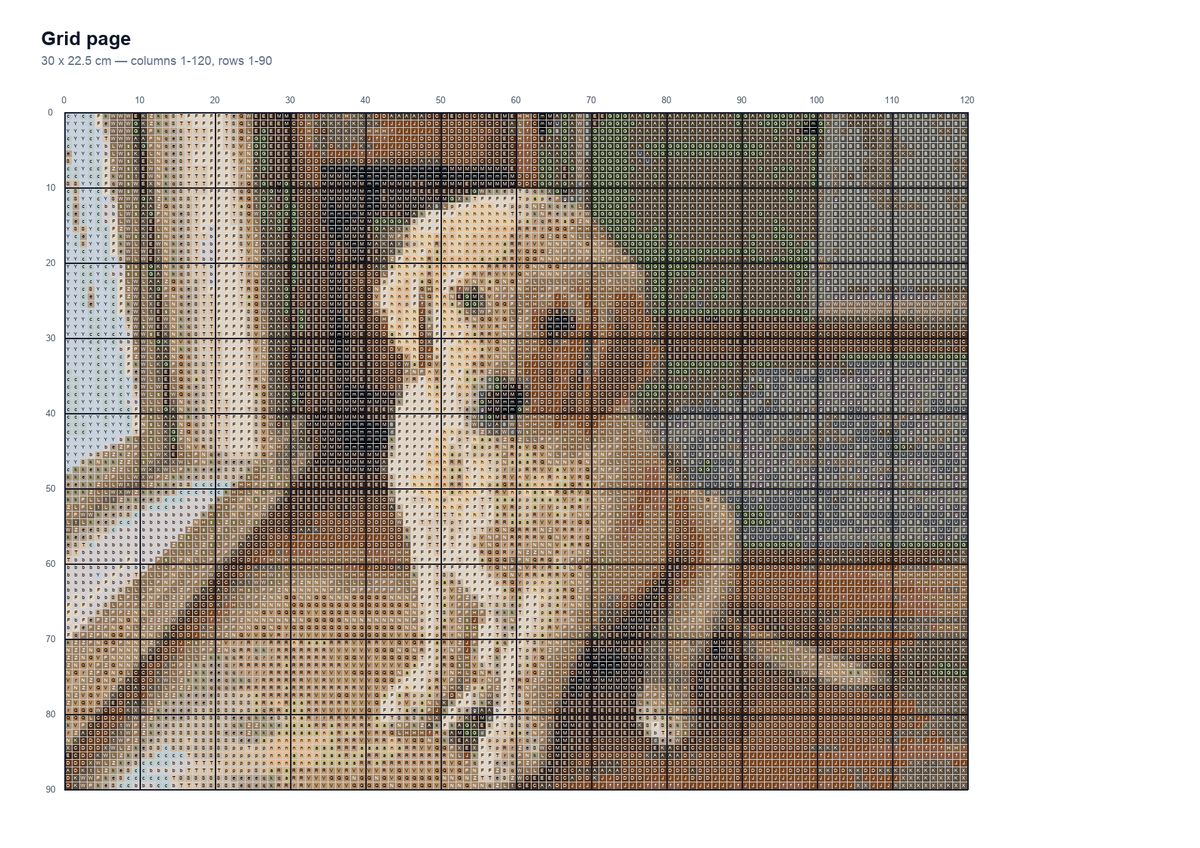
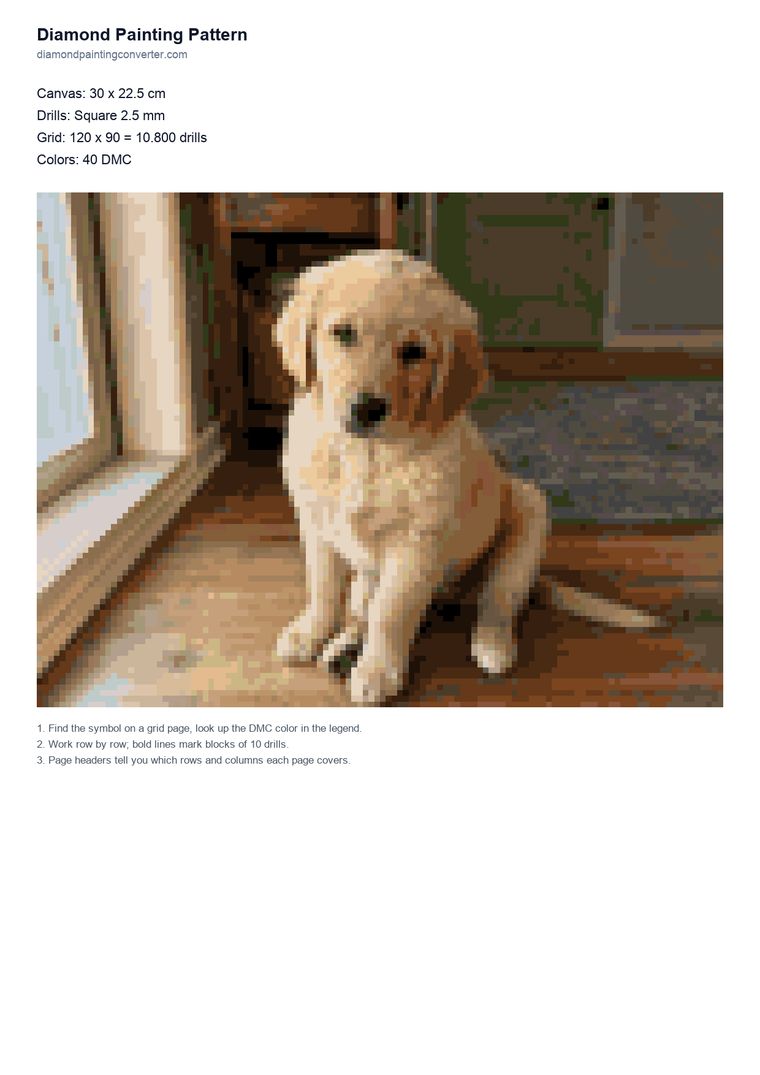
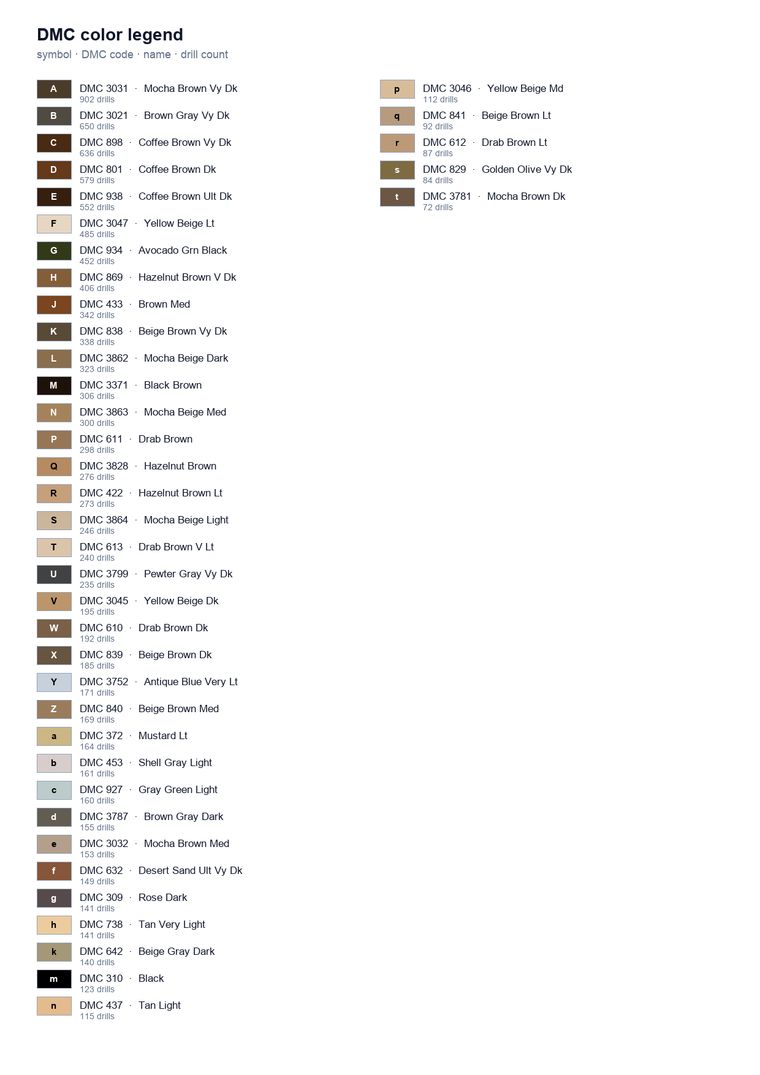
Most patterns fit on a single sheet: the chart picks portrait or landscape and the cell size so the whole thing lands on one page. Only really large patterns are split, and then the cover shows a numbered map of how the sheets fit together.
Tap an image to see it full size. Printable on A4, instant download after payment - this example is a 30 x 22.5 cm pattern with 40 colors.
How it works
Upload a photo
The conversion runs in your browser: every cell gets the closest match from 454 DMC colors. You see the real pattern in about a second.
Edit the colors
Too many close shades? Lower the color count. Wrong tone in a face or sky? Tap the color and pick a better DMC match. Undo if it gets worse.
Download the PDF
The chart you download is the pattern you edited - cell for cell. Cover, symbol grid pages and a DMC legend with drill counts, ready to print on A4.
What makes this different from a normal preview?
Most photo-to-diamond-painting tools show a stylized preview and generate the chart later, so what you buy is not what you saw. The Pattern Studio shows the actual chart: the same 454-color DMC matching that builds the PDF runs live in the editor.
That matters when you edit. Merging two nearly identical browns saves you a whole bag of drills; fixing a skin tone by hand makes a portrait work. Those choices carry over to the printed chart exactly.
Just want a quick impression with size advice instead? Use the preview maker - it recommends a size based on your photo before you decide.
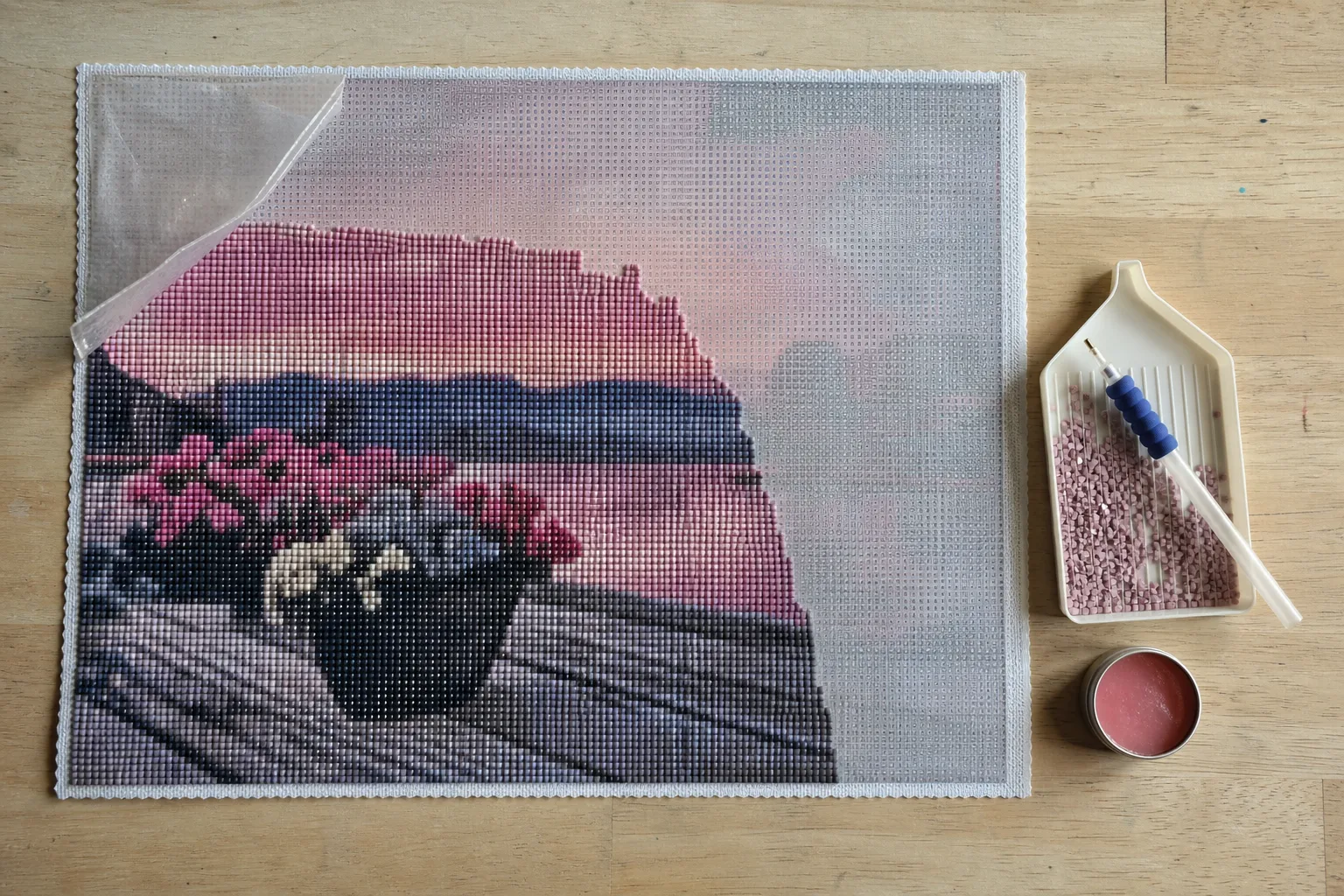
Where do you find free diamond painting patterns?
Search for free patterns and you land on Pinterest boards and image libraries. Those are pictures, not patterns: there is no symbol grid and no DMC list, so you still have to work out which drill goes where. That is the step this page does for you.
Here is what costs nothing and what does not, so you can decide before you start:
- Free: uploading a photo, the conversion, the size and drill settings, swapping DMC colors by hand, and the colour list with the drill count per code. No account.
- €8.95: the printable A4 chart — cover, numbered symbol grid and DMC legend, matching the pattern you edited cell for cell.
If you only need the codes and not the print-out, the free DMC color chart lists all 454 shades with their number, name and colour.
The rest of the toolkit
DMC color chart
All 454 codes with name and colour, searchable and free to print.
Which size does my photo need?
Drill counts per canvas size, and why 30x40 often disappoints for a portrait.
Grid over your photo
See how much detail survives at drill scale before you pick a size.
Preview maker
A quick impression of your photo as a diamond painting, with size advice.
Step-by-step guide
Where to start on a canvas, and how to keep the film and glue clean.
Card kits
Ready-printed cards with drills, for when a full canvas is too much work.
Frequently asked questions
Is the Pattern Studio free?
Yes. Uploading, converting and editing your pattern is free, with no account. You only pay €8.95 when you download the printable PDF chart.
Which DMC colors does the pattern use?
Every cell is matched against the full chart of 454 DMC colors. You choose how many colors the final pattern uses (10 to 60) and you can replace any color by hand.
Which sizes and drills are supported?
Widths from 20 to 60 cm; the height follows your photo. Choose square 2.5 mm drills (4 per cm) or round 2.8 mm drills (3.57 per cm).
Can I convert an image to a diamond painting pattern online for free?
Converting is free and happens online in your browser: upload an image, and you get the real chart with DMC codes, the drill count per colour and a full-colour preview, without an account. The only thing you pay for is the printable A4 chart at €8.95.
Which app or program do I need?
None. The Pattern Studio runs in the browser, on a laptop as well as on Android and iPhone, and the conversion happens on your own device. There is nothing to install, no account, and your photo only leaves your device if you order the printable chart.
Can I make a diamond painting pattern myself?
That is what this page is: you upload a photo, the tool matches every cell to a DMC colour and you correct anything that looks wrong. What you cannot do by hand is keep 40 shades consistent across 20.000 cells - that part is worth letting a tool do.
Do I get the drill count per colour?
Yes, and before you pay. The colour list under the pattern shows every DMC code with how many drills it needs, so you can order the right bags whether or not you buy the chart.
Can I use up leftover drills with this?
Partly, and it is the most common question we get about leftovers. Lower the colour count until the pattern only uses codes you already have, then swap any remaining colour to a code from your own stock. What you can do with the rest of your drills depends on how many colours you kept: small, card-sized patterns are the realistic ones for leftover stones.
Can I print the pattern at home?
Yes. The PDF is built for A4 and most patterns land on a single sheet; only really large ones are split, and then the cover shows a numbered map of how the sheets fit together.
Does my photo get uploaded?
The conversion happens in your browser, so you can try photos without sending them anywhere. Only when you order the PDF is your photo stored with the order.